
Appearance
Quick Start
One-click install:
- ChatGPT — Install from the ChatGPT Apps directory
- Claude (Web/Desktop) — Add Tarteel as a custom connector (opens the modal with name and URL prefilled)
For any other MCP-compatible client, point it at:
https://mcp.tarteel.ai/mcp
ChatGPT
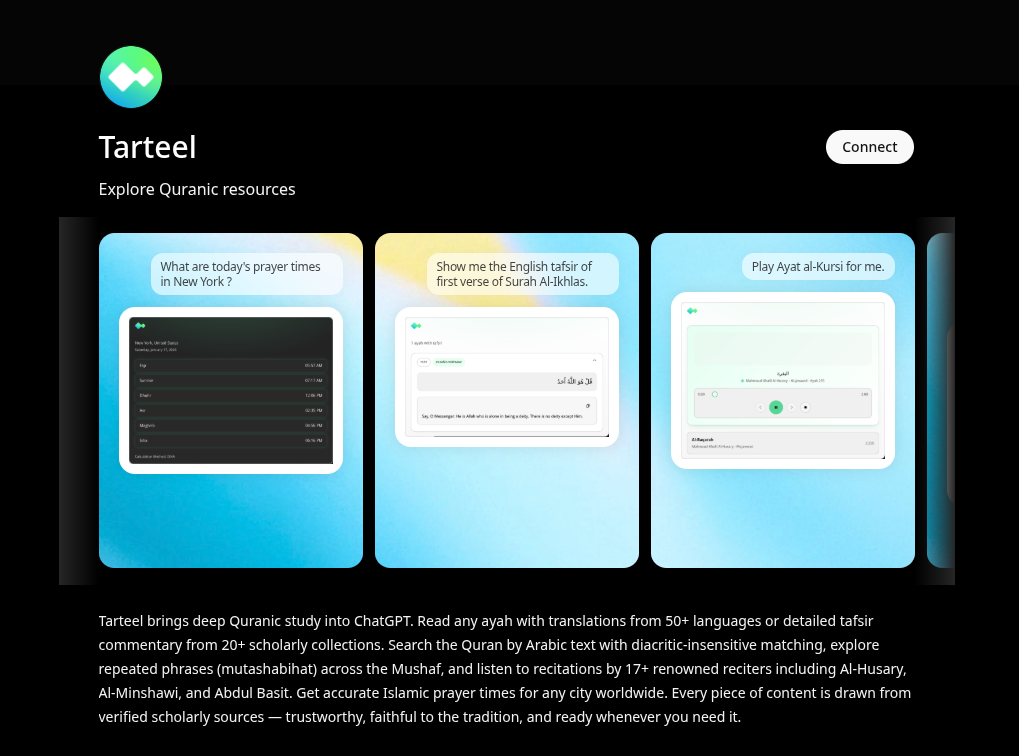
Tarteel AI is officially published in the ChatGPT Apps directory, so anyone with a ChatGPT account can add it in one click.
- Open the app page: Tarteel on ChatGPT Apps.
- Click Connect.
- Return to any chat, mention Tarteel, and start asking Quranic questions — for example, "What are today's prayer times in New York?" or "Play Ayat al-Kursi for me."
Claude (Web/Desktop)
One-click install (opens the Add custom connector modal with name and URL prefilled):
- Click the link above.
- Confirm in the prefilled modal — name
Tarteel, URLhttps://mcp.tarteel.ai/mcp. - Save and enable it in chat.
Manual fallback: open Claude Connectors, click Add custom connector, and paste the URL https://mcp.tarteel.ai/mcp with name Tarteel.
VS Code
- MCP docs: Use MCP servers in VS Code
Create .vscode/mcp.json in your workspace:
json
{
  "servers": {
    "tarteel-mcp": {
      "url": "https://mcp.tarteel.ai/mcp"
    }
  }
}
Then run MCP: List Servers from the Command Palette to confirm it is detected.
Cursor
- MCP docs: Cursor MCP
Create .cursor/mcp.json in your project root:
json
{
  "mcpServers": {
    "tarteel-mcp": {
      "url": "https://mcp.tarteel.ai/mcp"
    }
  }
}
Then open Cursor settings and confirm the tarteel-mcp server is enabled.
Claude Code CLI
bash
claude mcp add --transport http tarteel-mcp https://mcp.tarteel.ai/mcp
claude mcp list
Codex CLI
- MCP docs: OpenAI Docs MCP
bash
codex mcp add tarteel-mcp --url https://mcp.tarteel.ai/mcp
codex mcp list
Gemini CLI
- MCP docs: Gemini CLI MCP Server docs
bash
gemini mcp add --transport http tarteel-mcp https://mcp.tarteel.ai/mcp
gemini mcp list
Need Technical Details?
- Machine-readable schema: https://mcp.tarteel.ai/openapi.json